Facebook Business Pages
A Facebook Business Page is often the first result consumers see when searching for a brand on mobile. For multi-location enterprises, maintaining a central brand Page alongside dozens or hundreds of storefront locations creates constant operational drift. When individual location pages carry outdated hours or addresses, local customer trust erodes instantly.

Learn how to centralize your complete social footprint on our Local Listing Management hub
Facebook Pages as a Listing Surface, Not Just a Social One
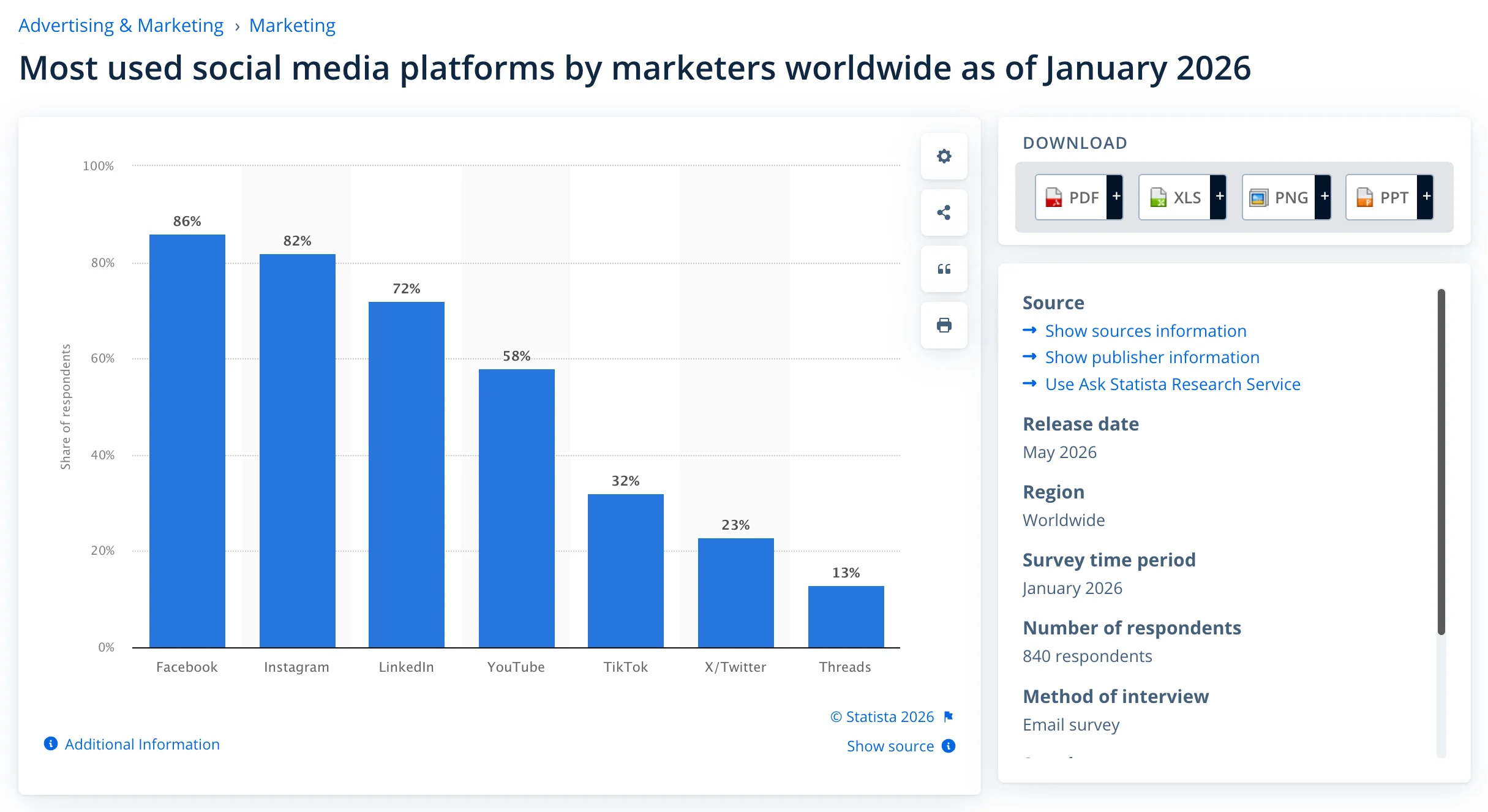
Facebook is the most-used social media platform by marketers, occupying 86% of the population. Listing your business on Facebook pages gives you the opportunity to drive relevant traffic into local stores from that huge user base.
Core Listing Surface
Your facebook local pages act as core listings where customers check your address, phone number, and operating hours.
AI & Search Trust
AI assistants cross-reference Facebook data with search engines, so stale details directly hurt local discovery.
Equal Operational Rigor
Facebook business page management requires the same strict oversight as your Google Business Profile or Bing Places.
Local Discovery Signals
Facebook Pages provide location-specific signals that help search engines understand your business presence, service areas, and individual storefronts.
Reviews & Social Proof
Customer reviews, recommendations, and engagement create additional trust signals while giving potential customers more context before visiting.
Location-Level Scalability
Businesses with multiple locations can structure dedicated Pages for each storefront, keeping local addresses, hours, reviews, and content separated and accurate.
Setting Up Your Facebook Business Page
Establishing an official Facebook Business Page creates a verified entity across Meta’s discovery surfaces, customer check-in networks, and connected AI answer engines. Following a structured registration process ensures your location signals remain accurate from day one, preventing listing drift and customer confusion.
1
STEP 1
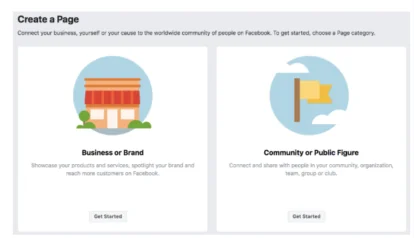
Access Page Creation
Sign in with an administrative business account and navigate to or open Meta Business Suite to begin setup.
2
STEP 2
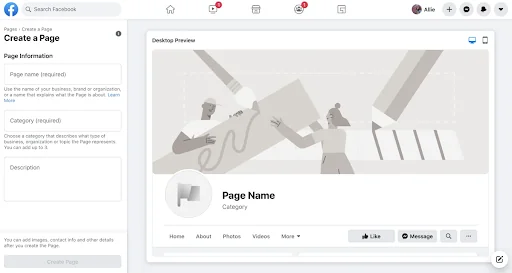
Enter Exact Business Name
Enter your business name precisely as it appears on real-world signage, legal documentation, and external listings (GBP/Bing).
3
STEP 3
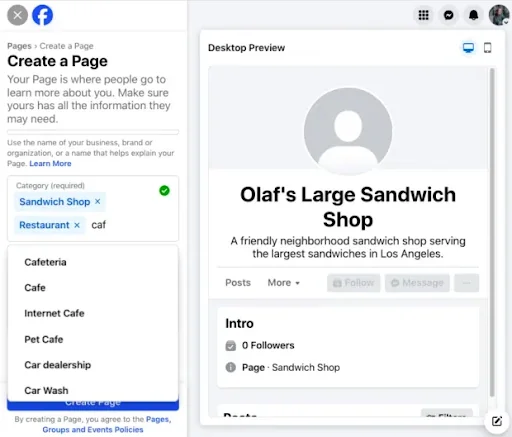
Select Business Categories
Choose the most specific primary category matching your core offering (and up to two secondary categories) to maximize local discovery relevance.
4
STEP 4
Add Contact Channels & Website
Enter your official business website URL, primary local telephone number, and customer support email address.
If you visit customers or deliver goods directly, opt to define your service coverage by city, district, or postal codes without showing a street address.
5
STEP 5
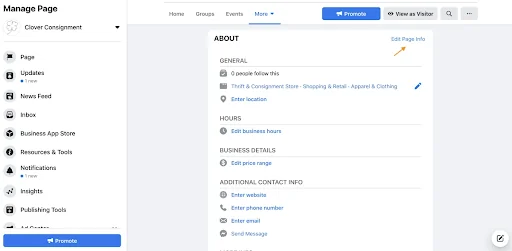
Define Location & Operating Hours
Add your physical storefront street address, ZIP/postal code, and precise operating hours. For non-storefront businesses, define your specific service area coverage.
6
STEP 6
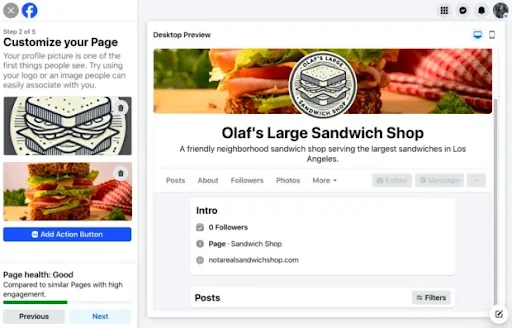
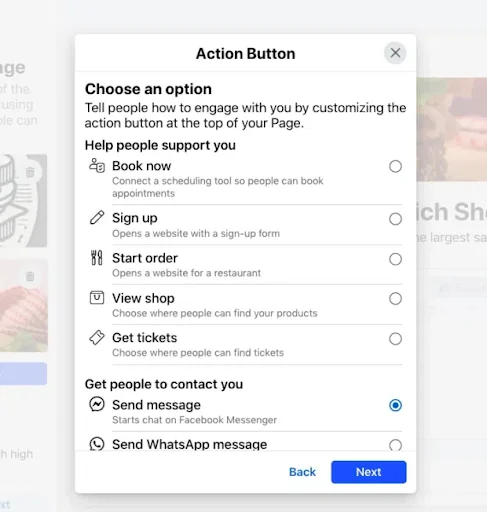
Upload Media & Configure CTA
Add a high-resolution profile logo, branded cover photo, and customize your primary Call-to-Action button (such as Call Now, Book Now, or Visit Website).
Structuring Parent Page → Location Pages
Businesses with a relatively larger number of stores should opt for a structured way to manage their listings, like using spreadsheets or API workflows. For example, Meta’s location spreadsheet can manage 25+ distinct data and control fields for each store location.
Parent/Child Architecture
Proper Facebook business page setup nests location Pages under a parent Page so customers find their exact storefront.
Isolated Location Details
A dedicated Facebook page for each location keeps local hours, addresses, and reviews isolated and accurate.
The Manual Bottleneck
Trying to manage Facebook pages for multiple locations natively breaks down at scale, requiring tedious per-Page manual logins.
Centralized Content Cascading
A structured parent-child setup allows high-level brand campaigns to publish globally or cascade down to local child feeds, ensuring brand consistency without repetitive manual posting.
Dynamic Store Traffic Ads
Nesting child locations unlocks Meta’s localized ad tools (like Store Traffic objectives), automatically displaying the nearest branch’s address, distance, and call-to-action to nearby users.
Accurate Check-in Attribution
Dedicated location pages provide precise GPS anchors for customer check-ins, geotags, and user-generated photos, concentrating social proof directly on the specific store’s page.
Facebook’s Role in AI and Social Discovery
Meta’s local business data feeds directly into AI assistant datasets alongside Google, Bing, and Yelp to answer conversational location queries. While Facebook isn’t a primary keyword engine, keeping every location Page accuracy prevents generative tools from surfacing outdated business details during search.
Read our guide on AI Search Optimization Tips.
Managing Facebook Listings Across Multiple Locations
Updating holiday schedules, store relocations, or category attributes across dozens of storefront Pages manually creates massive operational friction and inevitable data drift. Vicinus solves this by centralizing your entire Facebook location footprint into a single management platform alongside Google Business Profile, Bing Places, and Apple Business.
Bulk Data Syndication
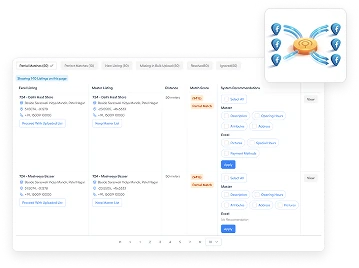
Execute bulk Facebook page management to push operating hours, contact details, and category changes across your entire portfolio in seconds.
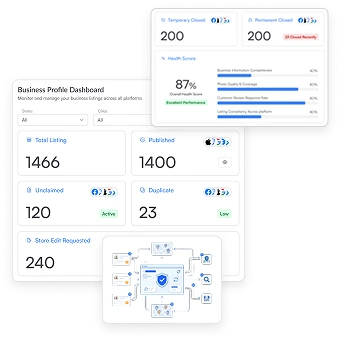
Centralized Dashboard Control
Easily manage Facebook pages across multiple locations from one unified platform without logging into individual Facebook accounts.
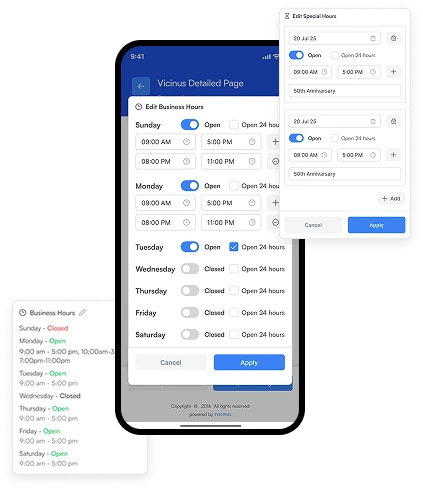
Automated Holiday & Special Hours
Apply seasonal schedule changes and temporary closures portfolio-wide to ensure store-level accuracy.
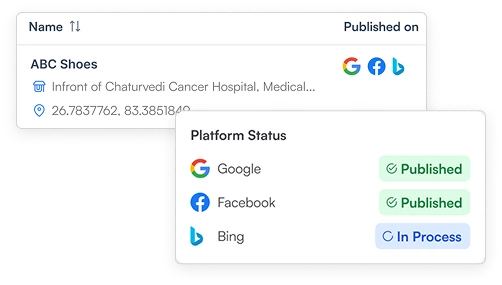
Cross-Channel Consistency
Align Facebook location details directly with Google Business Profile and Bing Places to prevent multi-platform listing drift.
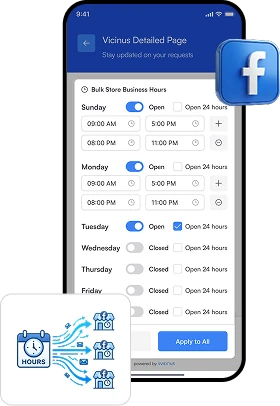
Bulk Hour & NAP Syndication
Push operating hours, holiday schedules, contact details, and business categories across hundreds of Facebook Pages simultaneously.
Continuous Drift Detection
Automatically monitor Facebook location data to catch unauthorized edits, address formatting errors, or missing profile attributes.
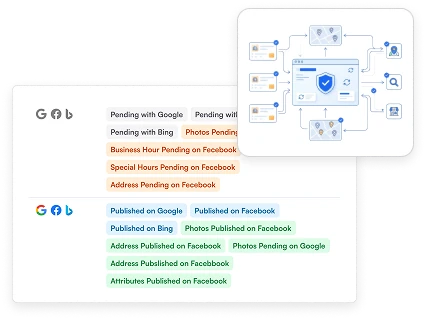
Does Vicinus Help Manage Facebook Listings?
Yes. Vicinus natively manages Facebook location listings as part of a unified multi-location management platform. Instead of managing individual child Pages manually inside Facebook, enterprise brands can publish, sync, and audit store-level Facebook Pages alongside Google Business Profile, Bing Places, and Apple Business from one dashboard.
Frequently asked questions
Yes. Nesting individual location Pages under a primary parent Page helps local customers find their specific store details while keeping the parent Page focused on the overall brand.
Using a centralized listing management platform allows you to push NAP, operating hours, and category updates from a single source of truth across all Facebook location Pages simultaneously.
Yes. Native Facebook tools are built to handle a few Pages at a time, whereas a multi-location listing management platform centralizes bulk management across hundreds of storefront Pages in one interface.
Yes. Vicinus integrates Facebook Business Pages alongside Google Business Profile, Bing Places, and Apple Maps, enabling multi-location brands to sync location data, audit listing health, and execute bulk updates from a central dashboard.
Still looking for an answer?
Drop us an email and we will get back to you within 24 hours.




